
Beautiful.ai Review 2026: AI Presentations, Pricing & Trial
A Research-based look at Beautiful.ai, the AI presentation maker built around automatic slide layouts. Worth knowing up front: there is no free plan, and the 14-day trial requires a credit card that is charged automatically when it ends.


Quick Verdict
// Research-basedTeknexia AI Tool Evaluation Framework
This is a Research-based review. We did not use Beautiful.ai ourselves. Every score below is judged on Beautiful.ai's official pricing page, product pages, security page, and blog, and on aggregated Trustpilot reviews, not on hands-on use. Where a criterion such as ease of use would normally come from our own testing, it is assessed here from documentation, tutorials, and what user reports describe, and each description says what it rests on.
Overall: 6.8/ 10
Beautiful.ai is an AI presentation app from Beautiful Slides, Inc. whose Smart Slides adapt their layout automatically as you add text, images, or data. It is the ninth review in our AI Productivity category, after Notion AI, Taskade, Reclaim.ai, Gamma, ClickUp, Otter.ai, Motion, and Napkin AI. Its most direct competitor on the site is Gamma. This review is built from named sources only; we have not used Beautiful.ai ourselves.
Before starting the trial: Beautiful.ai's pricing FAQ says the 14-day trial requires a credit card, which is charged in full if you do not cancel before the trial ends. Monthly subscriptions are non-refundable, and annual plans may only qualify for a partial refund if requested within 24 hours of purchase or renewal. Students with a .edu email are offered a free plan.
- According to the official pricing page, Pro costs $14.50 a month billed annually, or $45 for a single month, with unlimited AI content generation and PowerPoint import and export.
- Beautiful.ai's blog says presentations export as fully editable PowerPoint files, but audio and animations do not transfer.
- Classic Slides let you work without the automatic layout guardrails when you need more control.
- Trustpilot shows 2.8/5 from 248 reviews, with complaints focused on trial and renewal charges.
What Beautiful.ai Does, per Its Own Documentation
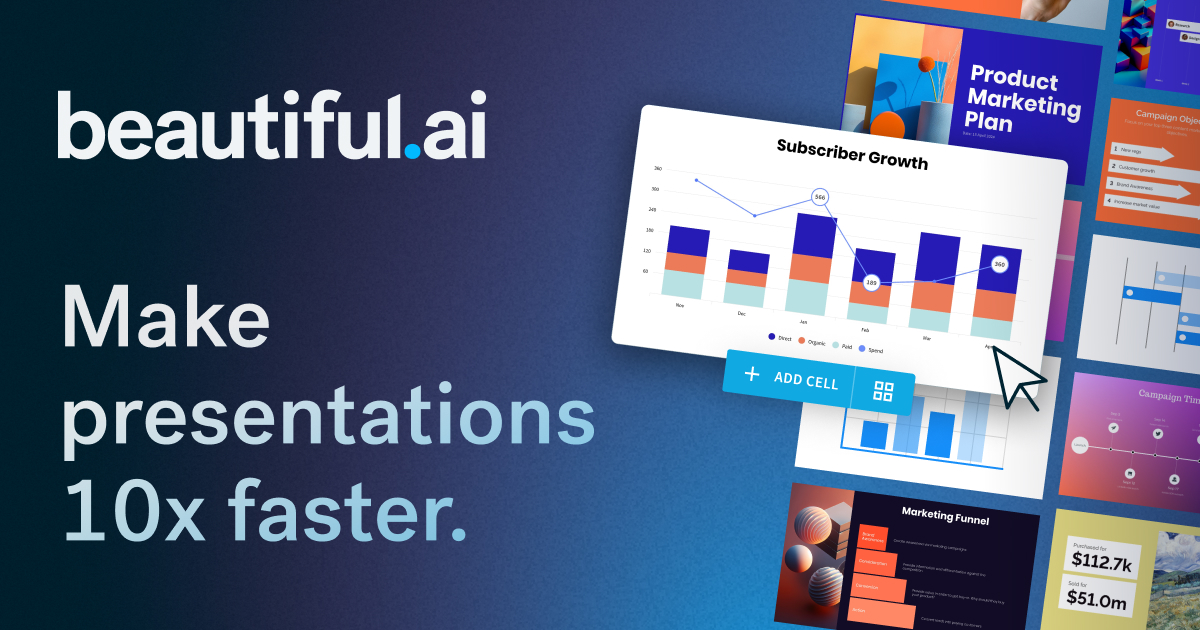
Per the pricing page, every paid seat includes unlimited AI content generation, the ability to add context from files or links, AI image generation, an AI writing assistant, AI translation, and more than 300 Smart Slide layouts. Brand styling lets you set colors, fonts, logos, icons, and footers once and switch themes in one click. Team plans add real-time collaboration, a shared slide and template library, version control, and viewer analytics. The two images below are official visuals from Beautiful.ai's website.
Automatic Layouts vs Creative Freedom
Smart Slides are the core of the product: per Beautiful.ai's FAQ, they are templates that adapt to your content as you work, so adding an item rebalances the slide instead of requiring manual alignment. The trade-off is less freedom, and Beautiful.ai addresses it directly: you can start with a blank Classic Slide, without the design guardrails, when you need more creative control. In practice, the choice between speed and control is made slide by slide. Some Trustpilot reviewers still describe the experience as closer to a template library than a free-form design tool.

Exporting to PowerPoint and PDF
Beautiful.ai's blog, updated in August 2026, says every presentation can be downloaded as a fully editable PowerPoint (.pptx) file through the Editable PowerPoint export option, either for the whole deck or a single slide. It also lists what is lost: exported slides do not keep attached audio, and animations do not transfer to PowerPoint. The pricing page includes PowerPoint import and export on every plan. Beautiful.ai itself recommends designing and presenting inside its app for the best results.
Pricing, Trial, and Refunds
We read Beautiful.ai's pricing page and FAQ in a browser on 14 October 2026.
| Plan | Billed annually | Billed monthly | What it adds |
|---|---|---|---|
| Pro | $14.50/mo | $45/mo | 1 user · unlimited AI content · 300+ Smart Slide layouts · brand styling · PowerPoint import and export |
| Team | $40/user/mo | $50/user/mo | 2 to 20 seats · live collaboration · shared libraries · analytics · 100+ languages |
| Enterprise | Custom | Custom | SSO, SCIM, audit logs, advanced permissions |
There is no permanent free plan. The 14-day trial gives full access to Pro or Team features but requires a credit card, and the FAQ says the card is charged in full if you do not cancel before the trial ends. Cancellation is done from the Billing section of your profile, and access continues until the end of the billing cycle. On refunds, monthly subscriptions are non-refundable, annual subscriptions may receive a partial refund only if requested within 24 hours of purchase or renewal, and all refunds carry a processing fee. On data, Beautiful.ai's security page says its AI subprocessors are barred from using customer data for training.
What Other Users Say
What Other Users Say
In a Research-based review, user reports are one of our main sources. According to user reports, the product itself saves time and produces professional-looking decks, and long-time PowerPoint users say they now build most presentations in Beautiful.ai. The negative reviews from 2026 focus overwhelmingly on billing: users charged for an annual plan after the trial without realizing it, charges after cancelling during the trial, a cancellation process that requires a form, and refund requests that went unanswered. Others say it feels more like a template library than a flexible design tool.
Sources: Trustpilot (retrieved 14 October 2026). We could not retrieve verified G2 or Capterra figures, so we do not cite them.
Beautiful.ai vs Gamma vs Canva AI
Gamma is Beautiful.ai's closest competitor for AI-generated presentations, and Canva AI adds AI tools to a full design platform. Both were tested hands-on for our earlier reviews; Beautiful.ai was assessed from research only.
| Criteria | Beautiful.ai |
 Gamma Gamma |
 Canva AI Canva AI |
|---|---|---|---|
| Our framework score | 6.8/10 | 6.0/10 | 7.6/10 |
| How we assessed it | Research only | Hands-on test | Hands-on test |
| Approach | Smart Slides that lay themselves out | AI-generated decks, documents, and pages | General design platform with AI tools |
| Free option | None (14-day trial, card required) | 400 credits, one-time | Free plan with limited AI quota |
| Entry paid price, billed annually | $14.50/mo | Roughly $9–12/mo per seat | About $10/mo |
Pros
- Smart Slides keep layouts aligned and consistent automatically
- Unlimited AI content generation on every paid plan
- Editable PowerPoint export and PowerPoint import
- Classic Slides available when you need full design control
- Brand themes applied across decks in one click
Cons
- No free plan; the trial requires a card and converts automatically
- Monthly plans are non-refundable, and annual refunds only within 24 hours
- Audio and animations are lost when exporting to PowerPoint
- 2.8/5 on Trustpilot, dominated by billing complaints
- Month-to-month Pro costs $45, three times the annual rate
FAQ
Can you export a Beautiful.ai presentation as an editable PowerPoint?
Yes. Beautiful.ai's blog says presentations can be exported as fully editable PowerPoint (.pptx) files, for a whole deck or a single slide. Attached audio and animations do not transfer to PowerPoint.
Is there a free version of Beautiful.ai?
No permanent free plan for most users. Beautiful.ai offers a 14-day trial of Pro or Team that requires a credit card and is charged automatically unless you cancel in time. Students with a .edu email are offered a free plan.
How much does Beautiful.ai cost?
Per the official pricing page read on 14 October 2026, Pro costs $14.50 a month billed annually, or $45 for a single month. Team costs $40 per user per month billed annually, or $50 monthly, per the pricing FAQ.
Can I move elements freely on Beautiful.ai slides?
On Smart Slides, layout is handled automatically within design guardrails. For full control, Beautiful.ai offers Classic Slides, which start blank and let you design without those guardrails.
Is Beautiful.ai better than Gamma?
They take different approaches. Beautiful.ai focuses on automatic slide layout and brand consistency, while Gamma generates decks, documents, and web pages and has a free starting allowance. In our framework, Beautiful.ai scored 6.8 from research and Gamma 6.0 from a hands-on test.
Is this review based on hands-on testing?
No. It is Research-based, built from Beautiful.ai's official pricing page, product pages, security page, and blog, plus Trustpilot reviews. We have not used Beautiful.ai ourselves.
Final Verdict
Beautiful.ai's core idea is that slides should arrange themselves: its Smart Slides adjust the layout as you add content, keeping decks consistent and on brand, and its AI drafts an outline and slides from a prompt or document. For people who produce many client presentations, that can save real formatting time, and editable PowerPoint export keeps the door open to Microsoft workflows. The weaknesses are on the commercial side: there is no free plan, the trial requires a card and converts automatically, refunds are very limited, and billing complaints dominate its Trustpilot reviews. If you try it, set a reminder before day 14. For a free starting point and broader AI writing, compare it with Gamma.
Check Beautiful.ai's Current Pricing
If you start the 14-day trial, note the end date and cancel beforehand if it is not for you.
See Beautiful.ai pricing →