
Motion AI Calendar Review 2026: Pricing, Trial & Verdict
A Research-based look at Motion, the AI calendar that schedules your tasks automatically. Worth knowing up front: there is no free plan, the trial requires a card, and Motion says purchases are non-refundable.


Quick Verdict
// Research-basedTeknexia AI Tool Evaluation Framework
This is a Research-based review. We did not use Motion ourselves. Every score below is judged on Motion's official pricing page and help center, on aggregated Trustpilot reviews, and on Asian Efficiency's Motion vs Reclaim comparison, not on hands-on use. Where a criterion such as ease of use would normally come from our own testing, it is assessed here from documentation, tutorials, and what user reports describe, and each description says what it rests on.
Overall: 6.0/ 10
Motion, from usemotion.com, is an AI calendar and work app that plans your tasks into your calendar automatically, around the meetings you already have. It is not the ad-creative platform of the same name. It is the seventh review in our AI Productivity category, after Notion AI, Taskade, Reclaim.ai, Gamma, ClickUp, and Otter.ai. This review is built from named sources only; we have not used Motion ourselves.
Before you start a trial: Motion has no free plan. Its help center says starting a trial requires billing information, with a $1 card hold to verify your account, and its cancellation page says purchases are non-refundable. The website does not state the trial length, so check it at sign-up and cancel before it ends if you do not plan to stay.
- According to Motion's help center, auto-scheduling moves your tasks around existing meetings; it does not move the meetings.
- Motion cannot edit meetings you did not organize, per its calendar limitations page.
- For one person, Pro AI costs $49 a month, or $29 a month billed annually, per the official pricing page.
- Trustpilot shows 3.7/5 from 578 reviews, with billing and auto-renewal as the main complaints.
What Motion Does, per Its Own Documentation
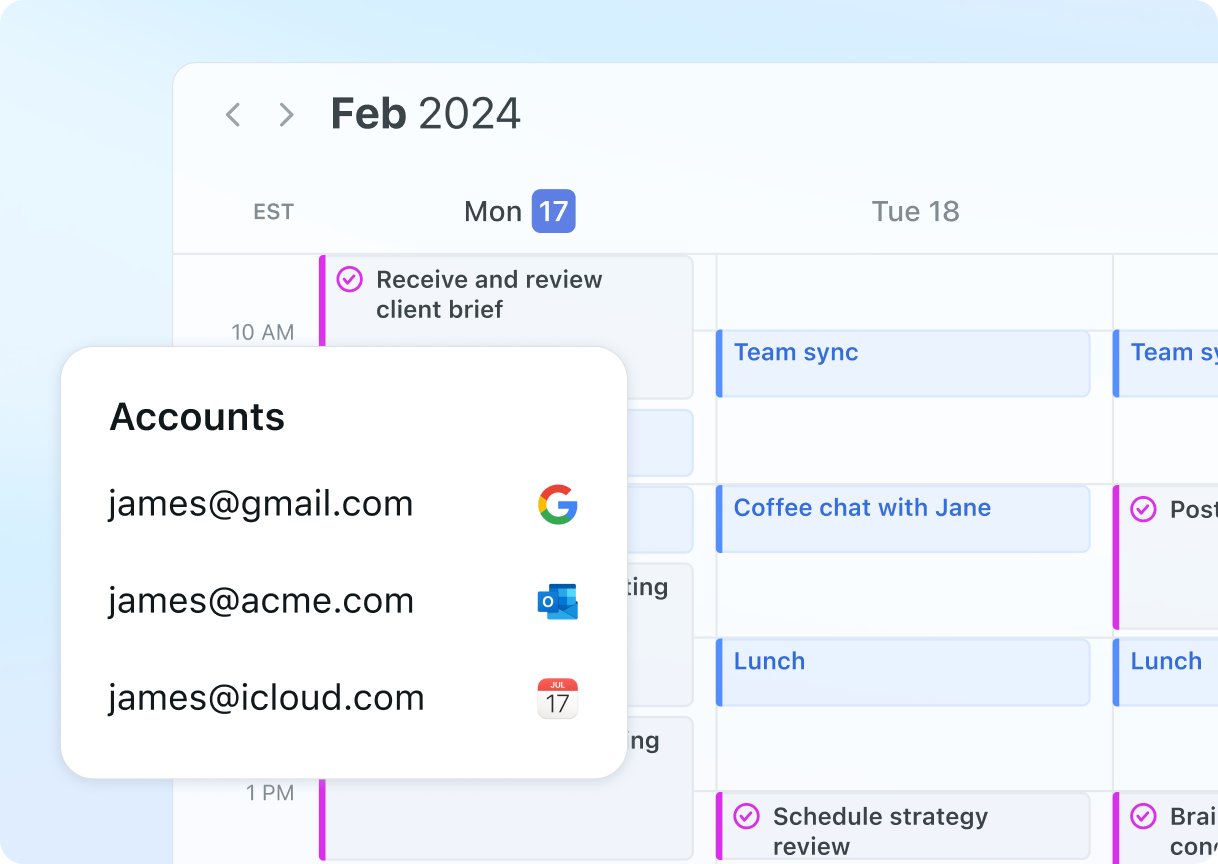
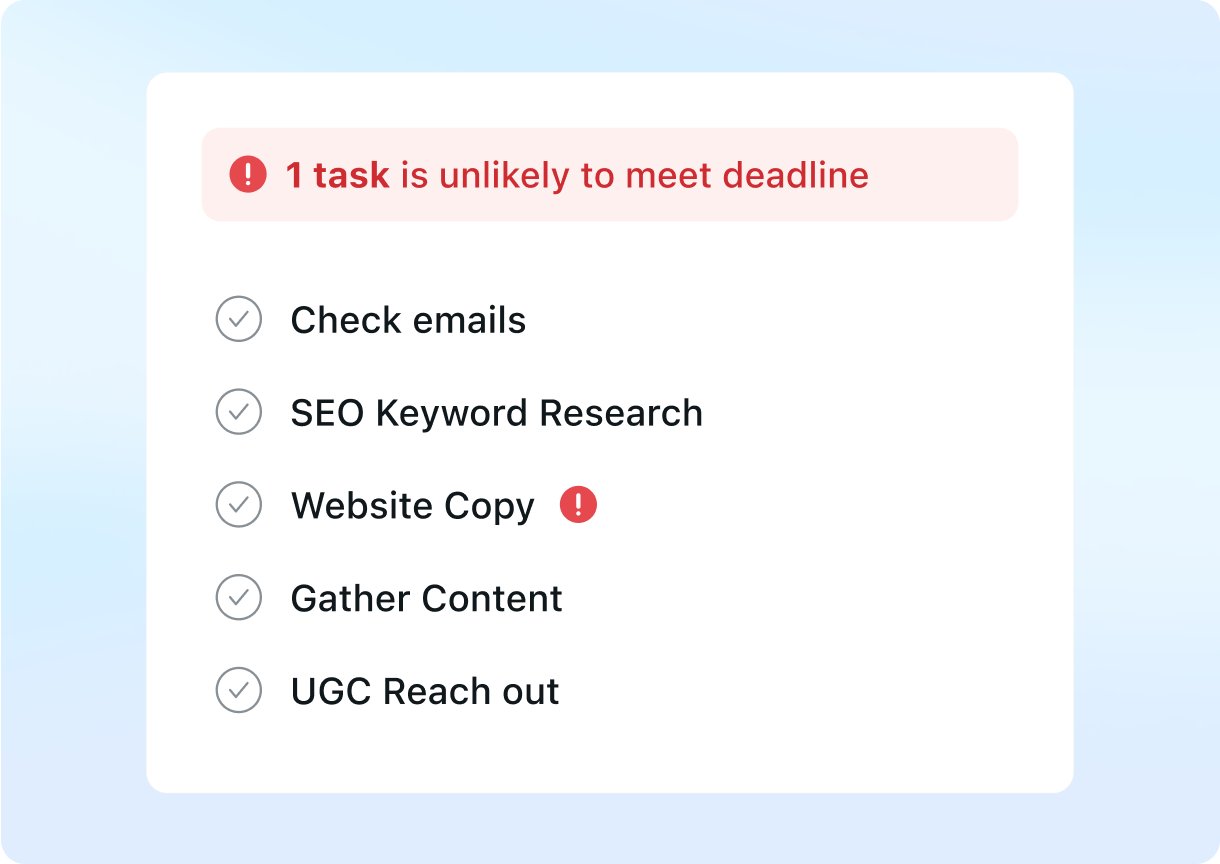
Motion now presents itself as an “AI Powered SuperApp for Work”. Alongside the AI calendar, its pricing page lists AI projects and tasks, AI meetings, docs, wiki and notes, a task planner, and a writing assistant, all drawing on a monthly allowance of AI credits. Per its help center, you connect Google, Microsoft Outlook, or iCloud accounts and see all their calendars in one view. The two images below are official product visuals from Motion's website.
How Auto-Scheduling Treats Meetings and Tasks
Motion's auto-scheduling guide describes the core idea: tasks are placed into open time, balancing deadlines and priorities, while existing meetings and events are respected. When a new meeting overlaps a scheduled task, Motion moves the task to the next suitable slot before its deadline. Events marked Busy block time, and events marked Free do not. Priorities run from ASAP down to Low, and tasks with hard deadlines can be scheduled outside your working hours if needed.
The calendar limitations page sets the boundaries. Motion cannot edit meetings where you are not the organizer, complex recurring events must be managed in your original calendar app, and all-day events from external calendars block the whole day as Busy unless you change them to Free.
Pricing, Free Plan, and Trial
We read Motion's pricing page in a browser on 11 October 2026 and checked every combination of its Individuals/Teams and monthly/annual toggles.
| Plan | Individuals, monthly | Individuals, annual | Teams, per seat (monthly / annual) | AI credits |
|---|---|---|---|---|
| Pro AI | $49/mo | $29/mo | $29 / $19 | 7,500/mo |
| Business AI | $69/mo | $39/mo | $49 / $29 | 15,000/mo |
There is no free plan. The pricing page offers a free trial, and the help center explains that you choose Pro AI or Business AI and enter billing information, with a $1 card hold that is released after a few days. On refunds, Motion's cancellation page is explicit: cancelling does not trigger a refund, and purchases are non-refundable, though Motion may refund at its discretion.
The Learning Curve Users Report
Motion asks for more upfront work than a calendar add-on. Asian Efficiency's comparison estimates setup at 30 to 60 minutes for Motion against 10 to 15 for Reclaim.ai, partly because Motion expects your tasks to live inside it rather than in your existing task manager. The quality of the schedule also depends on your inputs: Motion's own guide recommends realistic durations, true deadlines, and correct event statuses. On Trustpilot, some reviewers criticize the design of the project management side or say it has barely evolved, while others describe the daily calendar as easy to use once in place.
What Other Users Say
What Other Users Say
In a Research-based review, user reports are one of our main sources. According to user reports, the AI calendar is the main draw: positive reviewers say it reduces planning time and keeps their day focused, and teams like that meeting notes become scheduled tasks. The negative reviews from 2026 focus on billing, including annual auto-renewals users did not expect, charges after a trial, and refunds refused. Other complaints mention an AI notetaker that invents action items and slow support. Trustpilot notes Motion has not invited customers to review recently.
Sources: Trustpilot (retrieved 11 October 2026). We could not retrieve verified G2 or Capterra figures, so we do not cite them.
Motion vs Reclaim.ai vs ClickUp
Reclaim.ai is Motion's closest rival: it also schedules tasks and habits automatically, but works on top of your existing calendar. ClickUp is a full project management platform. Both were tested hands-on for our earlier reviews; Motion was assessed from research only.
| Criteria | Motion |
 Reclaim.ai Reclaim.ai |
 ClickUp ClickUp |
|---|---|---|---|
| Our framework score | 6.0/10 | 7.6/10 | 6.2/10 |
| How we assessed it | Research only | Hands-on test | Hands-on test |
| Approach | Replaces your planner and schedules every task | Adds scheduling to your existing calendar | Project and task management |
| Free plan | None | Lite, free forever | Free Forever plan |
| Entry paid price, billed annually | $29/mo (individual) or $19/seat (teams) | $10/seat/mo | $7/user/mo |
Pros
- Plans tasks into your calendar automatically and reshuffles when meetings change
- Leaves existing meetings in place and respects Busy and Free statuses
- Combines Google, Outlook, and iCloud calendars in one view
- Booking links, projects, docs, and meeting notes in the same app
- Apps for iOS, Android, and desktop
Cons
- No free plan, and the trial requires a card
- Purchases are non-refundable, per Motion's help center
- Expensive for individuals: $49 a month, or $29 billed annually
- Setup and learning curve reported as heavier than Reclaim.ai
- Auto-renewal and billing complaints are frequent on Trustpilot
FAQ
Does Motion move my existing meetings or only my tasks?
Only your tasks. Motion's help center says auto-scheduling places tasks into open time while respecting existing meetings and events, and moves a task when a new meeting conflicts with it. Motion also cannot edit meetings where you are not the organizer.
Does Motion have a free plan?
No. Motion offers a free trial instead. Per its help center, you must enter billing information, and a $1 card hold verifies your account.
Can I get a refund from Motion?
Generally not. Motion's cancellation page says purchases are non-refundable and that cancelling does not trigger a refund, although Motion may refund at its discretion.
How much does Motion cost?
Per the official pricing page read on 11 October 2026, Pro AI costs $49 a month for one person, or $29 a month billed annually. Team plans start at $19 a seat per month billed annually.
Is Motion better than Reclaim.ai?
They suit different people. Motion replaces your planner and schedules everything, while Reclaim.ai adds scheduling to your existing calendar, has a free plan, and costs less. In our framework, Reclaim.ai scored 7.6 from a hands-on test and Motion 6.0 from research.
Is this review based on hands-on testing?
No. It is Research-based, built from Motion's official pricing page and help center, Trustpilot reviews, and Asian Efficiency's comparison. We have not used Motion ourselves.
Final Verdict
Motion does one thing that sets it apart: it turns a task list into a calendar and keeps rearranging it as meetings appear, while leaving the meetings themselves where they are. For someone juggling many deadlines, that can replace daily planning. The trade-offs are cost and commitment. There is no free plan, the trial requires a card, purchases are non-refundable, and the individual plan costs $49 a month, or $29 billed annually, several times what Reclaim.ai charges. Motion also asks you to move your tasks into it, and Trustpilot reviewers frequently describe unexpected renewals. If you try it, set a reminder before the trial ends.
Check Motion's Current Pricing
If you start the trial, note the end date and cancel beforehand if Motion is not for you.
See Motion pricing →