
Opus Clip Review 2026: We Tested the AI Clip Scoring Firsthand


Quick Verdict
// Hands-on testedTeknexia AI Tool Evaluation Framework
Scored against our site-wide 5-criteria framework. This is the canonical score for Opus Clip — it also appears on the AI Video category page, pulled live from this page.
Overall: 8.2/ 10
Opus Clip takes a long-form video and turns it into multiple short, captioned clips, each scored for how likely it is to perform well. We already use it in production for a separate project, so this test doubles as a real-world workflow check, not a first impression — we ran a fresh video through it specifically for this review to document the process step by step.
- Dropping in a 15-minute talk produced 4 scored clips (87, 84, 71, 61 out of 100) in about 2 minutes — all 4 captured genuinely strong moments from the source video (our own test, 2026).
- Auto-generated subtitles needed zero manual correction on the first attempt — word-level captions were accurate and correctly synced.
- Opus Clip's Free plan gives 60 credits/month with no card required, but exports are watermarked and clips expire after 3 days — full unwatermarked use starts at $15/mo (Opus Clip, 2026).
- Beyond clipping, the same screen offers direct social publishing, HD export, and paid upscaling — a more complete pipeline than a simple auto-clipper.
What Is Opus Clip Used For?
Opus Clip takes a long-form video — a podcast, a talk, a livestream recording — and automatically finds and cuts the moments most likely to work as standalone short clips, adding captions, a title, and a 0-100 virality score to each one (Opus Clip, 2026).
The pitch is aimed squarely at creators repurposing long content into Shorts, Reels, and TikToks: instead of scrubbing through an hour of footage by hand looking for a good 30-second moment, the tool proposes several candidates already scored, captioned, and formatted vertically.
What We Actually Tested
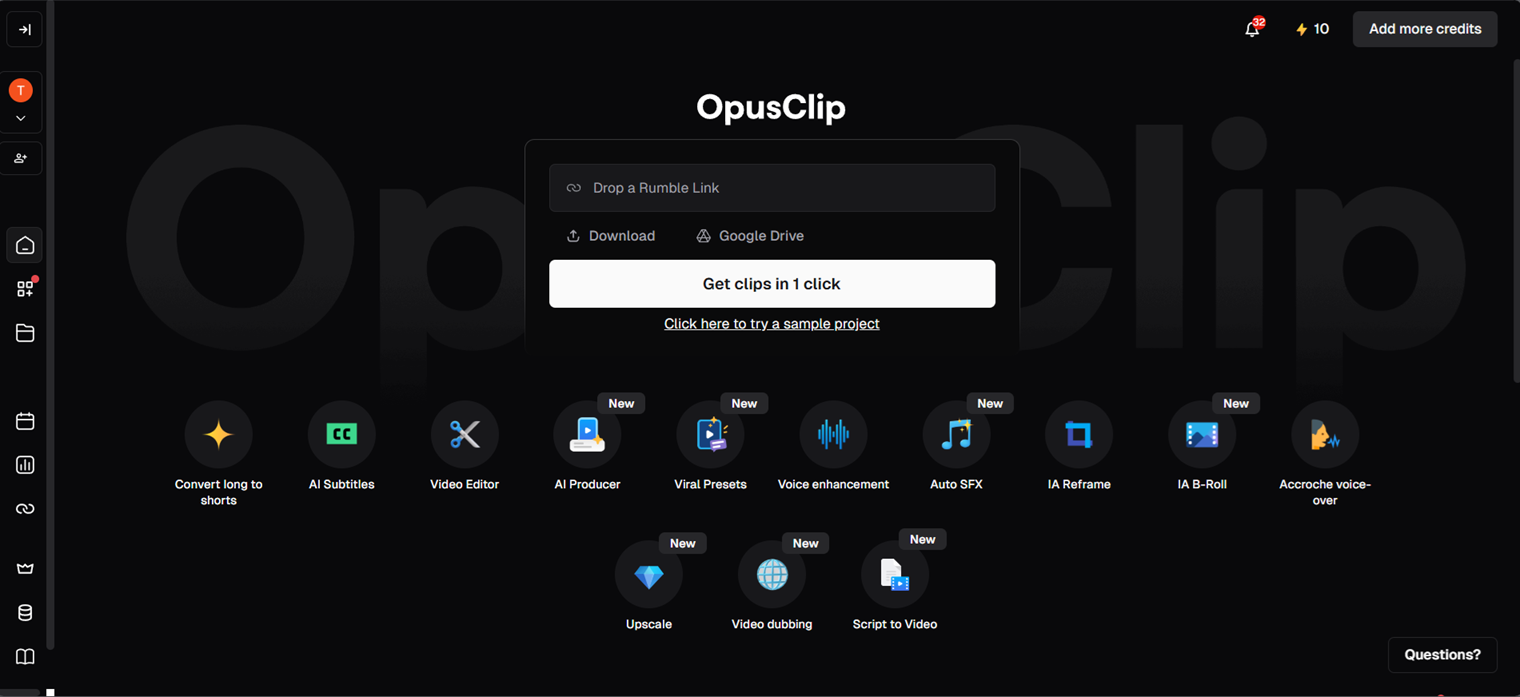
We dropped in a roughly 15-minute talk by science communicator Derek Muller (Veritasium) on common physics misconceptions and let Opus Clip's clipping engine run on it with default settings — no manual scene selection, no prompt engineering.
Our Test Protocol
These notes document what we did during testing — they are separate from the 5-criteria Teknexia AI Tool Evaluation Framework score in the Quick Verdict above, not a replacement or duplicate of it.
| Test | Action | Result | Note |
|---|---|---|---|
| Automatic clip generation | Dropped in a ~15-minute talk, clicked "Get clips in 1 click," default settings | 4 clips generated in about 2 minutes, each scored for virality (87, 84, 71, 61 out of 100) | All 4 clips captured genuinely strong moments from the source talk |
| Auto-captioning | Reviewed the word-level subtitles burned into each generated clip | Correctly synced, accurate captions on every clip, zero manual corrections needed | Right on the first attempt, no re-generation required |
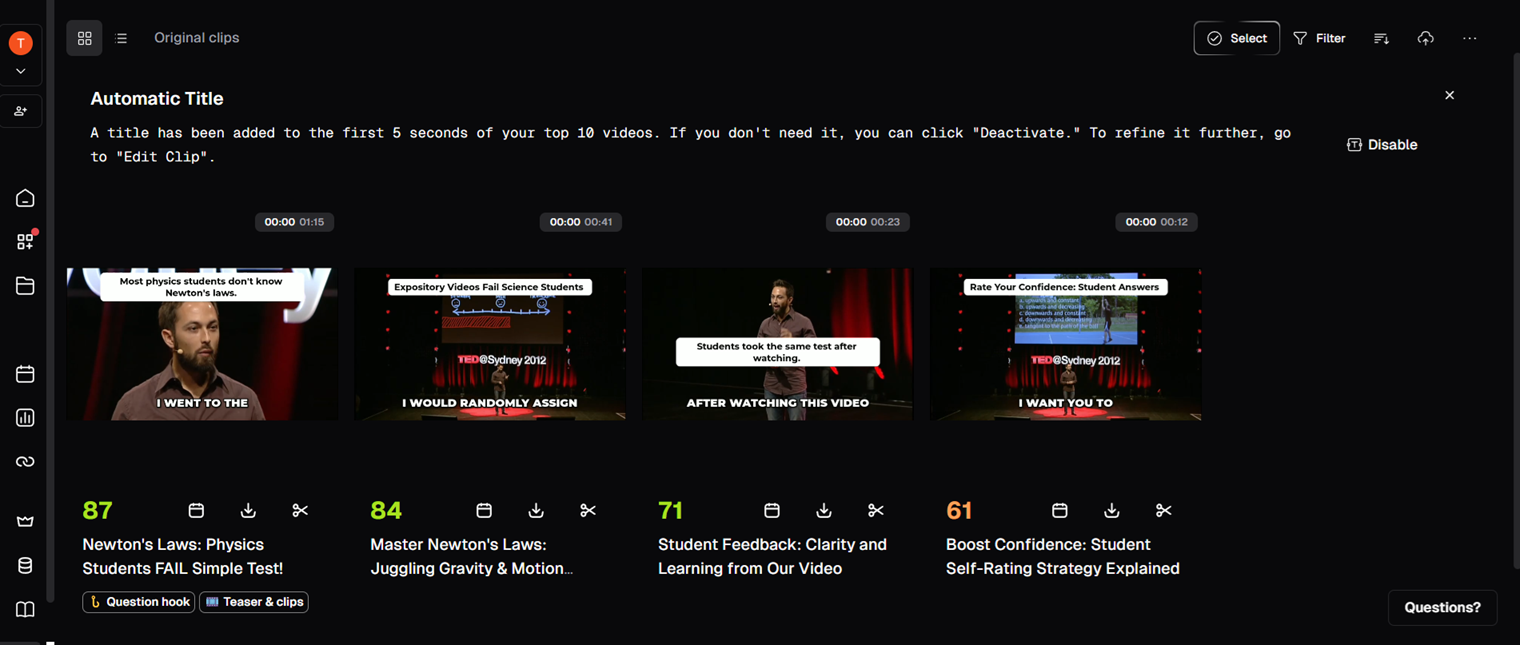
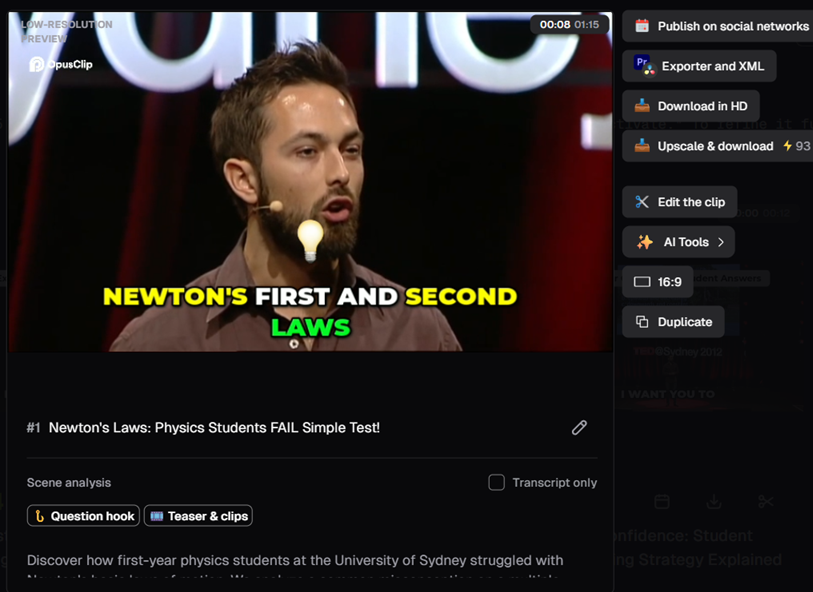
What stood out most was how little babysitting the process needed. We didn't reject or regenerate a single clip, and the captions were clean enough to publish as-is. The export panel is also more complete than a simple clipper: direct publishing to social platforms, HD download, an upscale option (at an extra credit cost), and a full clip editor sit right next to the result, rather than requiring a separate app.
Pricing in 2026: What's Actually Free vs. Gated
Opus Clip runs on a credit system rather than a flat per-video fee: roughly 1 credit per minute of source video. The Free plan is $0/month with no credit card required and includes 60 credits/month, but exports are watermarked, clips expire after 3 days, output is 9:16 only, and features like the editor, social publishing, and AI B-Roll aren't included (Opus Clip, 2026).
Starter, at $15/month, raises that to 150 credits/month, removes the watermark, and unlocks faster processing plus more import sources (YouTube, Google Drive, Vimeo, Zoom, Rumble). Pro, at $29/month, goes up to 300 credits/month with the full feature set. Business is custom-priced for teams needing collaboration and API access (Opus Clip, 2026).
One thing worth flagging clearly: the label "ClipBasic" that appears in the product isn't a pricing plan — it's the name of Opus Clip's original clipping engine, now positioned as the baseline option next to the newer "ClipAnything" engine, which understands visual and audio context and supports natural-language prompting (Opus Clip help docs, 2026). Don't confuse it with a subscription tier when comparing plans.
Opus Clip vs Descript: Which One Should You Actually Pick?
These two solve different problems. Descript is a text-based video and audio editor built around fixing and polishing a single piece of content by editing a transcript; Opus Clip is built around taking one long video and automatically finding several short, scored clips inside it. In our test, Opus Clip's real strength was the scoring and selection itself — it picked good moments from a 15-minute talk without us telling it what to look for, something Descript isn't designed to do.
Price-wise, Opus Clip's Starter plan ($15/mo) undercuts Descript's paid tier ($12/mo and up, per our Descript review) only slightly, but the two aren't really substitutes: Descript wins if you need to actually edit dialogue and audio; Opus Clip wins the moment your task is "I have one long video, give me several good short ones."
What Other Users Say
Opus Clip's Trustpilot reviews echo our own test on ease of use, with reviewers also singling out customer support as a strength. The one recurring soft spot is response time — some reviewers describe waiting a while to hear back from support — alongside occasional minor bugs.
Source: Trustpilot (retrieved 28 July 2026).
| Criteria | Opus Clip | Descript |
|---|---|---|
| Automatically finds and scores the best moments | ✓ Yes, confirmed in our test | ✗ Manual selection, no scoring |
| Cheapest paid entry point | $15/mo (Starter) | $12/mo |
| Genuinely usable free plan | Watermarked, 3-day expiry | Free plan, no watermark reported |
| Direct social publishing built in | ✓ Yes | ✗ No |
| Best for | Turning one long video into several scored short clips | Editing dialogue and audio like a text document |
If your bottleneck is finding the good 30 seconds inside an hour of footage, Opus Clip removes that step almost entirely — in our test it picked 4 strong clips out of a single talk with zero manual scrubbing, and captioned them correctly on the first try. It's a harder sell if you need to actually re-edit dialogue or fix audio, since that's not what it's built for, or if you can't accept the free plan's watermark and 3-day clip expiry.
Does Opus Clip Struggle With Anything?
In this specific test, no — all 4 clips were solid picks and the captions needed no fixes, which matches our broader experience using the tool in production outside of this review. The honest limitation is scope: we tested clean, single-speaker talk footage. We haven't yet tested it hands-on against messier source material like overlapping multi-person conversation, where clip selection and captioning are typically harder for any auto-clipping tool.
Pros & Cons of Opus Clip
Pros
- Generated 4 well-chosen, scored clips from a 15-minute talk in about 2 minutes, with zero clips rejected or regenerated
- Auto-captions were accurate and correctly synced on the first attempt, with no manual corrections needed
- Virality scoring gives a genuine starting point for which clip to post first, not just a pile of unranked cuts
- Export options go beyond clipping: direct social publishing, HD download, and an in-place editor
Cons
- Free plan exports are watermarked and clips expire after 3 days, pushing real use toward the $15/mo Starter plan
- We only tested clean, single-speaker source video in this pass, not messier multi-person conversation
- Credit-based pricing (roughly 1 credit/minute of source video) means longer source videos cost more to process
Recent updates
21 September 2026: Opus Clip launched AI Producer, a more advanced AI video editing agent that handles rough cuts, captions, motion graphics, B-roll, music, and sound effects from chat instructions, with an official integration into ChatGPT and Codex via plugin. We haven't tested this feature directly yet — we'll update this review once we have hands-on results. The score and Test Protocol below reflect our original hands-on test and don't factor in this new feature.
Frequently Asked Questions
Is Opus Clip actually free?
What is "ClipBasic" in Opus Clip?
Is Opus Clip worth it over Descript for clipping?
How much does Opus Clip cost in 2026?
Our Opus Clip Verdict
Opus Clip earns its place for exactly the job it's built for: turning one long video into several short, scored, captioned clips with almost no manual work — in our test, all 4 generated clips were genuinely good picks, and the captions needed no fixes. It's a harder sell if the free plan's watermark and 3-day expiry are dealbreakers, or if what you actually need is a dialogue-and-audio editor rather than an auto-clipper.