
Lindy AI Review 2026: Credits, Approvals & Pricing
A Research-based look at Lindy, an AI agent that works from Slack, email, and text. Worth knowing up front: whether Lindy asks before it sends an email depends on a setting you choose, and every action draws on a shared credit pool.


Quick Verdict
// Research-basedTeknexia AI Tool Evaluation Framework
This is a Research-based review. We did not use Lindy ourselves. Every score below is judged on Lindy's official pricing page, setup and billing documentation, and security statements, on aggregated Trustpilot reviews, and on Zapier's September 2026 comparison, not on hands-on use. Where a criterion such as ease of use would normally come from our own testing, it is assessed here from documentation, tutorials, and what user reports describe, and each description says what it rests on.
Overall: 6.2/ 10
Lindy is an AI agent that sits in your team's Slack and, once you connect your accounts, can read and send email, schedule meetings, research questions, and act in other apps. It is the sixth review in our AI Automation category, after Zapier, Make, n8n, Airtable, and Pipedream. This review is built from named sources only; we have not used Lindy ourselves.
A product that has changed often: Zapier's comparison notes that Lindy, founded in 2023, has pivoted several times, from a workflow builder to an iMessage-first assistant to today's Slack-based “AI teammate”. Many older reviews and user complaints describe earlier versions, so check the date of anything you read about Lindy, including this review.
- According to the official pricing page, new users get $50 in credits that last 7 days, with no credit card required.
- Paid plans are billed per person: from $29.99 a user a month for 3,000 credits, up to $199.99 for 35,000, per Lindy's billing docs.
- Lindy's docs say each connected account is set to “Always allow” or “Ask for approval” for actions that write or send.
- Trustpilot shows 1.7/5 from 40 reviews, citing credits that run out fast, charges after cancelling, and unreliable tasks.
AI Agent vs Workflow Automation: What Is the Difference?
Workflow automation tools such as Zapier and Make run steps you define in advance: when a trigger happens, for example a new form entry, the same actions run in the same order every time. You design the logic, and the result is predictable.
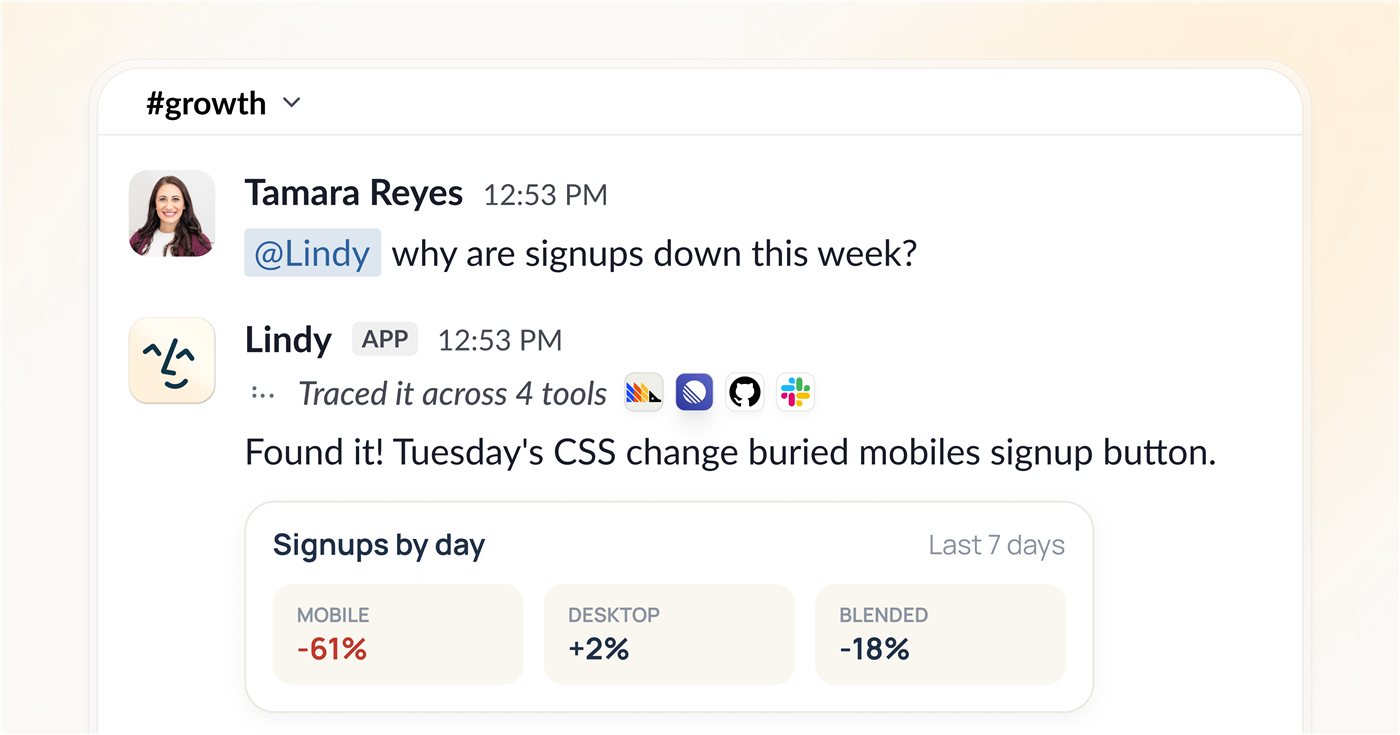
An AI agent like Lindy works from a goal written in plain language, such as “find out why signups dropped this week”. A language model decides which tools to open and which steps to take, so you do not have to map every step, but the path and the cost can change from one request to the next.
Neither approach is better in general. A fixed workflow suits repetitive, high-volume processes where consistency matters; an agent suits varied, one-off requests that are hard to describe as a flowchart. Zapier, which sells both kinds of product, frames Lindy as a personal assistant for individuals and small teams rather than a platform for running business-critical processes. That view comes from a direct competitor.
What Lindy Does, per Its Own Documentation
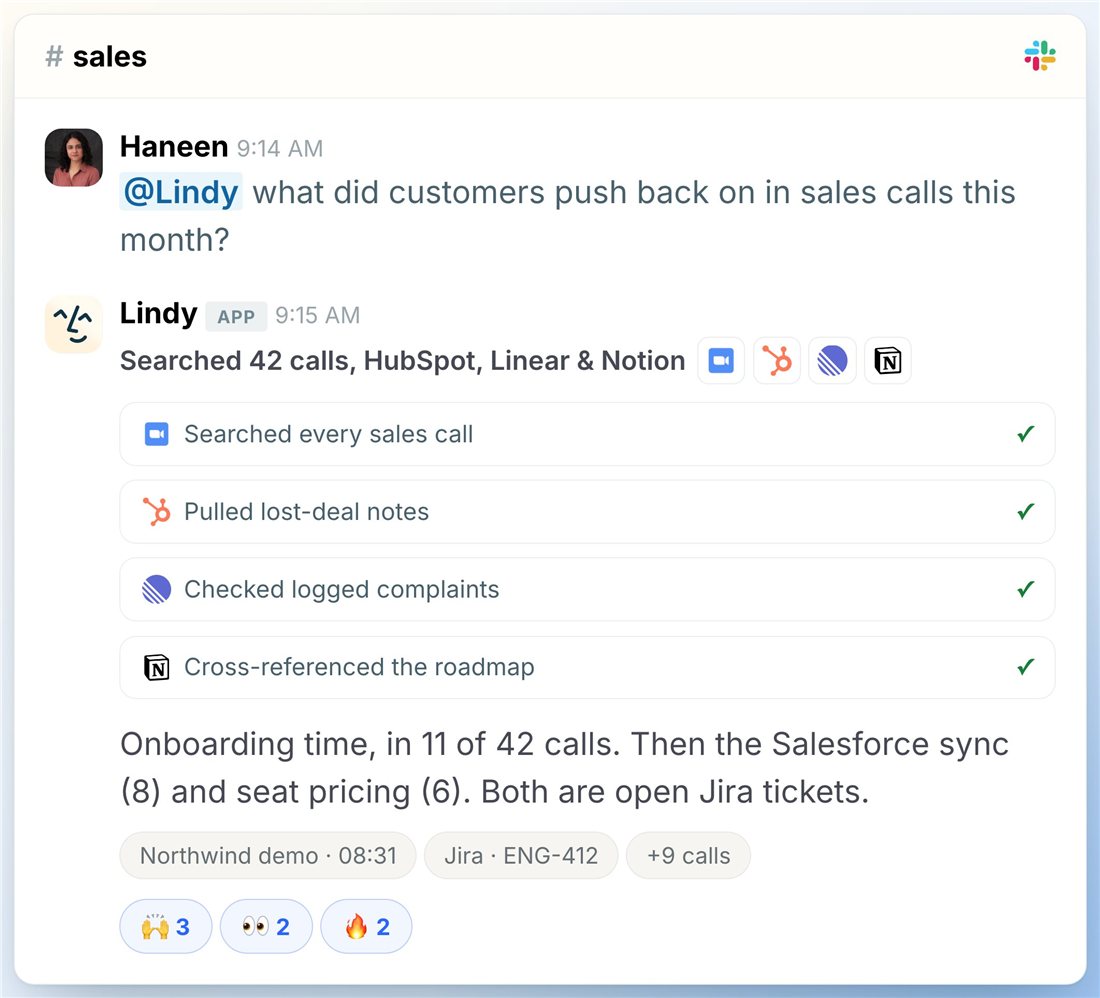
Per Lindy's setup docs, an admin adds Lindy to Slack (any Slack plan, including free), and each teammate links their own account. In shared channels Lindy can search the web, generate images, search public Slack messages, and use Notion; in your own DMs it gets the full toolset, including email, calendar scheduling, SMS, reminders, and meeting notes. The pricing page adds model choice, MCP support, and computer use on the Pro and Max plans. The two images below are official product images from Lindy.
Credits, Free Trial, and Pricing
Lindy has no permanent free plan. The pricing page offers $50 in credits that last 7 days, with no credit card; Lindy's billing docs add that teammates who join by @mentioning Lindy in Slack get their first week free, while people who sign up directly are billed right away. Older help pages describing a monthly free allowance no longer load, so we do not treat that plan as current.
| Plan | Price per seat | Credits per seat | Notes |
|---|---|---|---|
| Free trial | $0 | $50 in credits | Lasts 7 days, no card required |
| Plus | $29.99/mo | 3,000/mo | 2 connected inboxes |
| Pro | $99.99/mo | 15,000/mo | 3 inboxes · computer use · live onboarding |
| Max | $199.99/mo | 35,000/mo | 5 inboxes · computer use |
| Enterprise | Custom | Custom | SSO, SCIM, audit logs, HIPAA with a signed BAA |
Credits measure the work Lindy does. The pricing page gives ranges rather than fixed prices: 2 to 250 credits for everyday asks such as a lookup or a drafted reply, 250 to 1,000 for deep work such as a research report, and 1,000 to 2,500 for big builds such as a dashboard. Every seat adds its credits to a shared team pool, top-ups cost $10 per 1,000 credits, and monthly credits do not roll over. When the pool runs low, Lindy pauses and tells you; admins can cap each person's spending. Any teammate who @mentions Lindy becomes a billed seat after the free week until an admin removes them, with no mid-cycle proration.
Approvals and Data Access
Lindy's pricing FAQ says anything with outside impact, such as sending an email, updating a ticket, or publishing a document, waits for approval, and that read-only lookups do not. The setup docs are more precise: each connected account has one setting, Always allow or Ask for approval, applied to every action that writes or sends. Approval is enforced in shared Slack threads, and your personal DMs keep their existing confirmation behavior. In other words, the protection depends on how you configure each account.
To manage your inbox and calendar, Lindy needs you to connect a Google or Microsoft account; we could not find an official page listing the exact permissions requested. Lindy states that customer data is encrypted, never sold, and never used to train models, and that it is SOC 2 and GDPR compliant. Its privacy policy, updated 28 September 2026, lists AI providers including Anthropic and OpenAI among its subprocessors. Lindy's own docs also warn that AI-generated responses may be inaccurate and should be reviewed before acting.
What Other Users Say
What Other Users Say
In a Research-based review, user reports are one of our main sources. According to user reports, credits run out faster than expected, some users were charged after a trial or could not find how to cancel, and tasks sometimes fail or produce output in the wrong format. One reviewer says Lindy moved meeting emails to a hidden folder without telling them. Praise is rarer: a few reviewers call the tool powerful when it works. Trustpilot notes Lindy has not invited customers to review recently, and at least one recent review on the page appears to concern a different business. Zapier's comparison, written by a competitor, reports replies of about 90 seconds regardless of request size.
Sources: Trustpilot (retrieved 9 October 2026); Zapier, published 16 September 2026. We could not retrieve verified G2 or Capterra figures, so we do not cite them.
Lindy vs Zapier vs Make
Zapier and Make are workflow automation tools, both tested hands-on for our earlier reviews; Lindy is an AI agent assessed from research only. They overlap, but they are built for different kinds of work.
| Criteria | Lindy |
 Zapier Zapier |
 Make Make |
|---|---|---|---|
| Our framework score | 6.2/10 | 7.4/10 | 7.2/10 |
| How we assessed it | Research only | Hands-on test | Hands-on test |
| Approach | AI agent: you state a goal, it picks the steps | Workflows you define, with AI steps available | Visual scenarios you define |
| Free option | $50 in credits for 7 days | 100 tasks/mo, 2-step Zaps | 1,000 credits/mo, 2 active scenarios |
| Entry paid price | $29.99 per user/mo | $19.99/mo billed annually | $9/mo |
| Integrations | 1,000+ native, plus MCP | 9,000+ | Not counted in our review |
Pros
- Works from plain-language requests in Slack, email, or text, with no workflow to design
- $50 free trial with no credit card, per the official pricing page
- Per-account approval setting for every action that writes or sends
- States it never uses customer data to train models, with SOC 2 and GDPR compliance
- Admins can cap each person's credit spending
Cons
- No permanent free plan, and every teammate who uses it becomes a paid seat
- Credit costs per task are ranges, so bills are hard to predict
- Approval is not automatic: an account set to “Always allow” can send without asking
- 1.7/5 on Trustpilot, with reports of failed tasks and charges after cancelling
- Frequent product pivots make older reviews and guides unreliable
FAQ
Can Lindy reply to my emails without my approval?
It depends on your settings. Lindy's pricing FAQ says actions with outside impact, such as sending an email, wait for approval. But its setup docs say each connected account is set to either “Always allow” or “Ask for approval”, and that approval is enforced in shared Slack threads while personal DMs keep their existing confirmation behavior. If an account is set to Always allow, Lindy can send without asking each time, so check that setting before connecting your inbox.
Is Lindy free?
Not permanently. Per the official pricing page, new users get $50 in credits that last 7 days, with no credit card required. After that, each person who uses Lindy needs a paid seat, starting at $29.99 a month.
How do Lindy credits work?
Credits measure the work Lindy does. The pricing page lists 2 to 250 credits for everyday asks, 250 to 1,000 for deep work, and 1,000 to 2,500 for big builds. Seats add credits to a shared pool, top-ups cost $10 per 1,000, and monthly credits do not roll over.
What is the difference between Lindy and Zapier?
Zapier runs workflows you define step by step, so they behave the same way every time. Lindy is an AI agent: you describe a goal and it decides the steps, which is more flexible but less predictable. Zapier, a competitor, describes Lindy as better suited to individuals and small teams.
Does Lindy use my emails to train AI?
Lindy states that customer data is encrypted, never sold, and never used to train models. Its privacy policy lists AI providers such as Anthropic and OpenAI as subprocessors that handle data to run the service.
Is this review based on hands-on testing?
No. It is Research-based, built from Lindy's official pricing page, documentation, and privacy statements, plus Trustpilot reviews and Zapier's comparison. We have not used Lindy ourselves.
Check Lindy's Current Pricing
Use the free credits on low-risk tasks first, and set connected accounts to Ask for approval before letting Lindy send anything.
See Lindy pricing →